


WalletPasses | Passbook Wallet
4.53.04K Reviews
App Specs
- Version
- 2.7.1
- Updated On
- License
- Free
- Downloads
- 10,000,000+
- Developer
- Wallet Passes Alliance
- Categories
- Travel & Local
- Platform
- Android
Screenshots
 Analysis by AppCompare
Ever get that nagging feeling that your wallet is bursting at the seams with loyalty cards, boarding passes, and random coupons? I totally get you. That's where WalletPasses | Passbook Wallet steps in, like a digital superhero for all your card chaos.
First Impressions
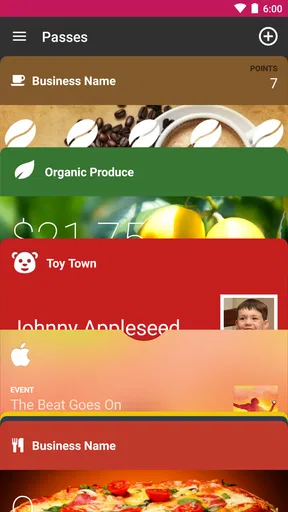
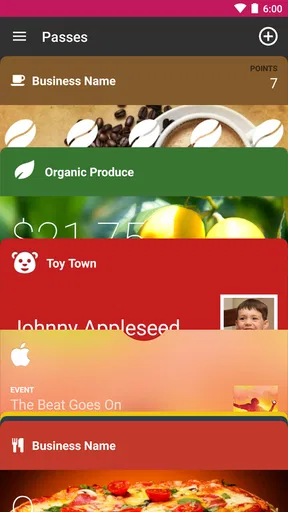
Right off the bat, installing WalletPasses felt like a breeze. Available for both Android and iOS, it's designed to declutter your life. The interface is as sleek as it gets—no unnecessary bells and whistles, just straight to the point. The app greets you with a simple dashboard where you can start importing your passes. It feels intuitive, like it knows exactly what you're looking for.
Features That Stand Out
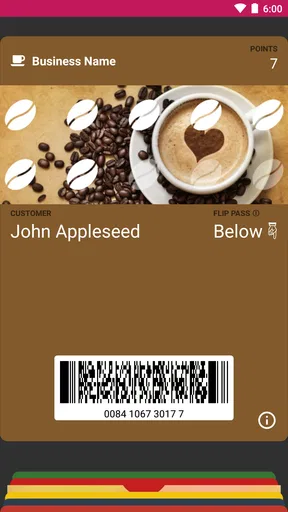
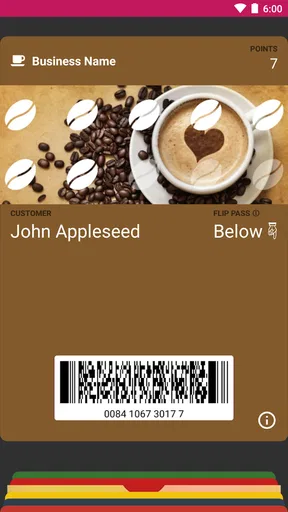
What really sold me on this app is how effortlessly it handles multiple types of passes. From your airline boarding passes to those sneaky coffee shop loyalty cards, it's all here. Just tap a few buttons, and boom, your pass is digitized. It's almost like magic, but better because it works every time.
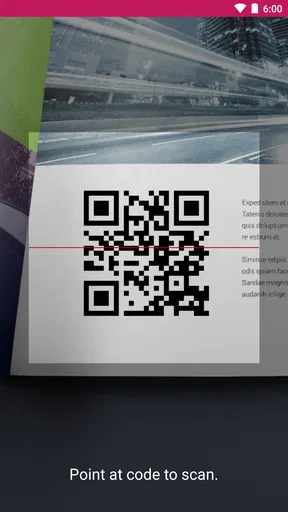
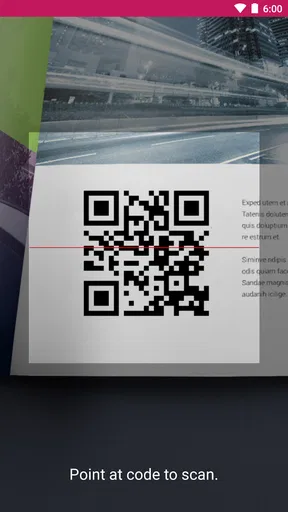
One of my favorite features is the ability to import passes via QR codes or barcodes. I mean, who has time to input details manually, right? Just point your phone, scan, and you're done. It even supports .pkpass files, which is a huge plus if you're an Apple Wallet user looking for alternatives.
How It Makes Life Easier
Imagine you're rushing to catch a flight, and you can't find your boarding pass in a sea of emails. With this app, those moments are history. All your important passes are just a tap away. I felt a genuine sigh of relief knowing I wouldn't have to fumble through my belongings in a panic.
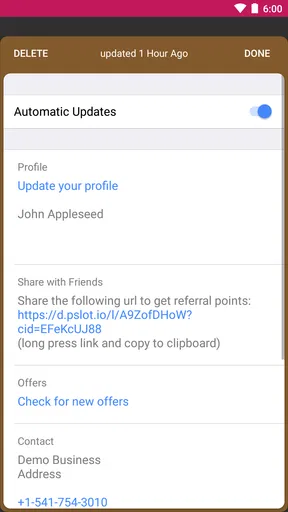
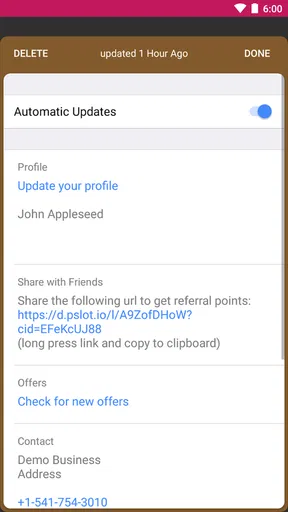
And for those of us who tend to forget things (guilty as charged!), the app sends notifications when a pass is about to expire or when you're near a location where you can use it. I don't know about you, but I could really use a few more reminders in my life.
Design and Usability
The design is minimalist, which I appreciate. It means I spend less time figuring out how to use the app and more time actually using it. Everything is organized in neat categories, and searching for a specific pass is a walk in the park. Plus, it doesn't hog your phone's resources, which is a rare win.
Worth Reading Before You Choose

Flipboard Shows What News Apps Must Do Beyond the Feed

Switching to Android Auto Means Rethinking Your Driving Routine

Google Calendar Makes a Crowded Week Easier to Manage

Ludo King Makes the Most of the Minutes Between Plans

Baby Panda World Brings Quick Play to Modern Phones, but Its Game Library Feels Busy

ESPN’s Live Game View Makes Following Close Games Easier
The app also respects your privacy, which is a big deal these days. None of your data is shared without your consent, and the app doesn't require unnecessary permissions. It's like having a trustworthy friend who happens to be really good at organizing things.
Any Downsides?
If I had to nitpick, I'd say the app's color scheme could be a bit more lively. It's all functional, but a splash of color wouldn't hurt. Also, while it works flawlessly most of the time, there are occasional hiccups when reading certain QR codes. But hey, nothing's perfect, right?
Choosing It for the Right Job
I see this as a practical travel and local organizer, not a replacement for every card or ticketing system on your phone. It makes most sense if you regularly collect digital passes from different places and want one place to check before leaving home. If you only carry one or two passes, your phone’s built-in wallet or the original airline and retailer apps may already be enough.
The distinction matters when you’re deciding what to rely on at a busy entrance. A pass organizer helps bring supported items together, while a provider’s own app may be better for changing a reservation, checking live trip details, or resolving an account issue. I’d keep the airline app or confirmation email available for those tasks and use a wallet pass for quick presentation at the gate.
A Useful Routine Before You Leave
For a realistic travel day, I’d add the boarding pass before heading to the airport, then open it once at home to make sure the code is readable and the right traveler’s name is attached. I’d also keep the original email or airline app handy until the pass has been accepted at check-in. That small bit of preparation is more dependable than trying to import and troubleshoot while standing in a queue.
For everyday errands, the same habit works with loyalty cards: add a pass when you receive it, then search for it before reaching the checkout rather than waiting until the cashier is ready. If the store’s scanner struggles, switching screen brightness up or showing the barcode steadily can help with many phone-scanning situations, though the app cannot fix a damaged or unsupported code. Keeping a physical card for a particularly important account is a sensible backup.
What Happens Between the Pass and the Scanner
A wallet pass is only one part of the handoff. The organization issuing it creates the pass, you bring it into the app, and a gate, cashier, or staff member scans or checks it. If something goes wrong, the cause may be the source pass, the scanner, or the way the code is displayed—not necessarily the organizer itself. I wouldn’t delete the original message after importing a time-sensitive ticket.
It also helps to think of scanning as a quick-access convenience rather than proof that every pass will work everywhere. A barcode or QR code can be unreadable, outdated, or not accepted by a particular venue. Before a trip or event, I’d check that the pass belongs to the correct booking and keep another way to retrieve the reservation. That takes little effort and avoids making the phone wallet the only link in the chain.
Sorting Passes So They Stay Useful
Once you have several passes, the main benefit depends on how quickly you can retrieve the right one. I’d add passes soon after receiving them, while the email or file is easy to find, rather than saving a pile of import work for the day of travel. For a crowded collection, a quick search before entering a venue is safer than assuming the most recently added item will be the one you need.
Notifications can be helpful prompts, but I treat them as reminders rather than guarantees. A location-based alert is most useful when the pass is already in the app and location context is relevant; it doesn’t replace checking opening details, departure information, or an appointment in the issuer’s service. For a pass that expires, I’d confirm the date directly on the pass before making a special trip to use it.
Who Will Appreciate It Most
Frequent travelers, people who visit the same shops regularly, and anyone who receives passes as files or codes are the clearest fit. The app is from Wallet Passes Alliance, and its focus is narrow in a useful way: keeping supported passes together rather than turning travel planning into a broader itinerary manager. It is free to install, rated for Everyone, and has an average rating of 4.5 from around 172,000 ratings, with more than 10 million installs.
That reach makes it a familiar option in the digital-wallet space, but popularity doesn’t remove the need to check whether it fits your routine. The current version is 2.7.1, and it runs on Android 5.0 or later. The app also offers in-app purchases, listed from $0.99 to $99.99 per item, so I’d look at the purchase details before paying for anything and decide whether the free experience already covers your needs.
By contrast, someone who mainly wants tap-to-pay, bank-card management, or a unified place for payment methods should choose a payment wallet built around those jobs. Someone who needs an airline’s live rebooking tools should keep using the airline’s app. This app is most compelling when the problem is scattered passes, not when the problem is managing an entire trip or paying at a terminal.
Where the Flow Can Break
The biggest practical limitation is dependence on the pass itself. If an issuer provides a format that cannot be imported, or a code that the app has trouble reading, you may need to use the issuer’s app, email, or printed confirmation instead. The occasional QR-code reading hiccup is worth taking seriously before a time-sensitive journey, even if it is not an everyday obstacle.
There’s also a trade-off in keeping important items digital: you need a charged, accessible phone and a screen that can be shown when asked. I wouldn’t rely on a single device for a flight, event, or appointment if losing access would cause a serious problem. Save a backup route to the booking, and keep a physical alternative where one is available and appropriate.
Compared with storing every pass in separate merchant apps, a dedicated pass organizer can reduce the hunt across inboxes and accounts. Compared with a built-in wallet, it may be a better fit for someone seeking a pass-focused alternative, but the built-in option may be simpler if it already handles the formats and routines they use. I’d choose based on the passes I actually receive, not on the assumption that one wallet can cover every issuer.
My Take After Using It
So, should you give WalletPasses | Passbook Wallet a shot? Absolutely. It's user-friendly, reliable, and genuinely makes life easier. Whether you're a frequent traveler or just someone who likes to keep things tidy, this app could be your new best friend.
Consider this your cue to free yourself from wallet clutter and step into the digital age with confidence. Trust me, your future self will thank you.
Pros
- Easy to use with a clean interface.
- Supports a wide range of pass types.
- Seamlessly integrates with other apps.
- Offers offline access to passes.
- Customizable notifications for events.
Cons
- Limited customization for pass appearance.
- Occasional sync issues with some passes.
- Ads can be intrusive in the free version.
- Lacks advanced security features.
- No support for all loyalty programs.
FAQs for WalletPasses | Passbook Wallet
What is WalletPasses, and how does it work?
WalletPasses is a digital wallet app designed for managing and organizing your digital passes, tickets, and loyalty cards. Compatible with both Android and iOS, it allows users to easily import and store digital passes through various formats like PKPass. The app provides a streamlined way to access and manage your digital items efficiently.
Is WalletPasses secure to use for storing sensitive information?
Yes, WalletPasses prioritizes user security and employs encryption to protect your sensitive data. It ensures that all personal information stored within the app is safeguarded against unauthorized access. Users are encouraged to enable additional security features, such as biometric authentication, to further enhance their data protection.
Can WalletPasses integrate with my existing apps and services?
WalletPasses is designed to work seamlessly with a variety of apps and services. It can import passes from email attachments, web links, and QR codes, making it compatible with many ticketing and loyalty programs. However, integration capabilities may vary depending on the specific app or service you are using.
Is WalletPasses free to use, or are there any hidden costs?
WalletPasses is available for free download on both Android and iOS platforms. While the core features are accessible at no cost, there may be optional premium features or in-app purchases available for users seeking enhanced functionalities. It's advisable to review these options within the app before making any purchases.
What type of passes and cards can I store in WalletPasses?
WalletPasses supports a wide range of digital passes, including boarding passes, event tickets, coupons, and loyalty cards. It is compatible with the PKPass format, which is widely used by airlines, entertainment venues, and retailers. This versatility allows users to consolidate various digital items into one convenient app.


